
AI Doorbell Video at a glance
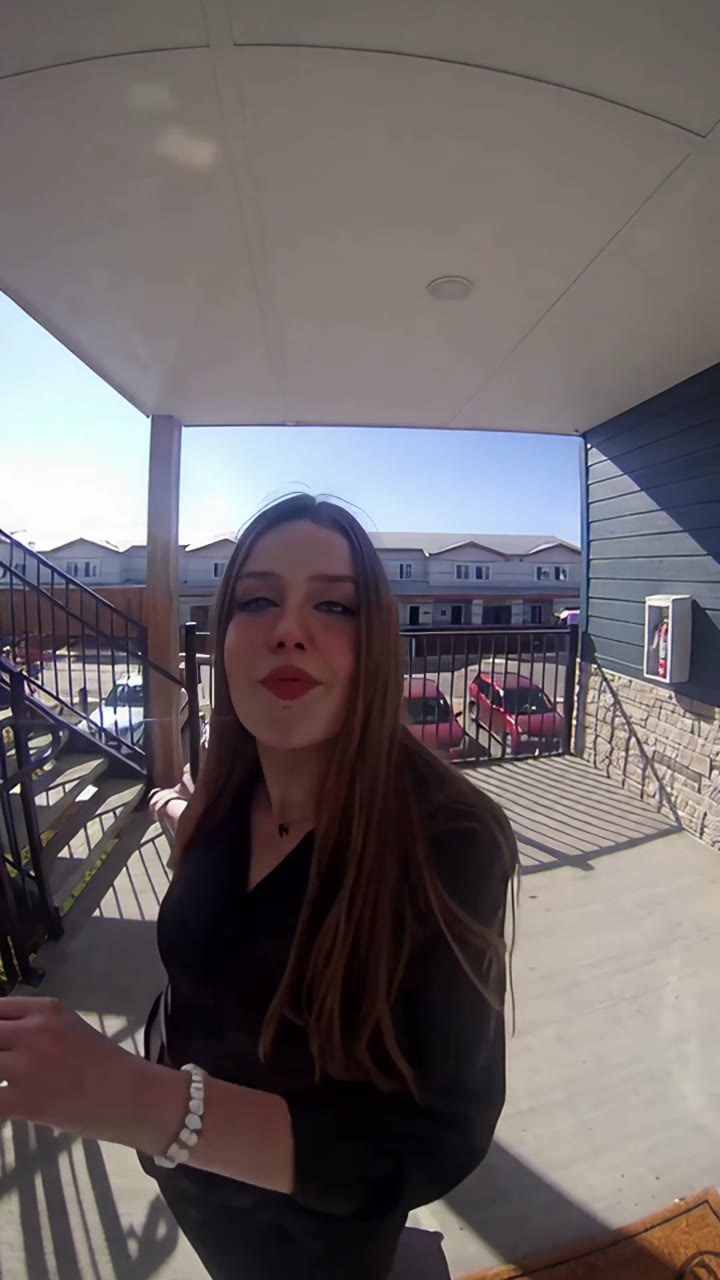
AI doorbell videos are short clips that look like they came off a doorbell camera: a fixed view of the porch, a fisheye lens, someone walking up to the door. The joke is who shows up. Swap in your toddler, your best friend, your dog or a costume character, and it plays like real footage of an unexpected visitor.
- Also called
- ai doorbell videoai doorbell camera videoai ring doorbell videodoorbell cam aiai doorbell video prankring camera ai videoai security camera video
- Last updated
AI Doorbell Video video examples
The same doorbell clips, with someone new at the door.
A toddler at the door
The porch clip with the visitor replaced by a little girl in a white dress: same walk-up, same look into the camera.
A costume visitor on the fisheye cam
A front-door fisheye clip with a costume character on the mat, the kind of surprise visitor these videos are made for.
How to make a AI Doorbell Video video
- 01
Pick a doorbell clip: the porch walk-up or the front-door fisheye view.
- 02
Upload one clear photo of the person or pet you want at the door.
- 03
Press Generate. The AI puts them into the clip, keeping its camera, movement and timing, and your video shows up under My work.
What is the AI Doorbell Video trend?
AI doorbell videos look like real doorbell camera footage, with the fixed porch view and wide-angle fisheye, but the visitor is someone you choose. Pick a doorbell clip, add one photo, and the AI redraws the person in the clip as the one in your photo, keeping the movement, the camera and the timing.
What you get
- Photos
- 1 photo
- Length
- 15 seconds
- Resolution
- 720p
- Aspect ratio
- 9:16
- Model
- Kling 3.0 Omni Edit
- Cost
- 202 credits per video
Which photos work best
Works well
- One person or pet, facing the camera
- Head to toe or waist up, so the AI gets the outfit and build right
- Even light and a sharp face
Avoid
- Group photos or busy backgrounds
- Sunglasses, masks or hands covering the face
- Tiny, blurry or heavily filtered photos
The AI Doorbell Video AI prompt
This is the prompt SwayReel runs for AI Doorbell Video, so you don’t have to write one. Your photos go in as Image 1, Image 2 and so on. You can also paste it into any AI video model that takes reference photos.
Replace the person in the video with the person in the reference photo. Keep every step, gesture and expression change, the timing, the doorbell camera's fixed wide-angle view and fisheye distortion, the framing, the porch and the light exactly as in the video. Keep the face, hairstyle, skin tone, build and outfit from the photo. No text, captions or watermarks.
More AI effects
AI Doorbell Video FAQ
- What is an AI doorbell video?
- A short video that looks like doorbell camera footage, with a fixed porch view and a fisheye lens, where AI puts a person or pet of your choice in front of the door. People post them as pranks and surprise-visitor jokes on TikTok, Reels and Shorts.
- How do I make an AI doorbell video with my pet?
- Pick a doorbell clip, upload a clear photo of your pet facing the camera, and press Generate. A full-body photo works best, so the AI gets the size and coat right.
- Does it add the fisheye lens and the doorbell camera look?
- It keeps the look of the clip you pick: the fixed wide-angle view, the fisheye distortion, the porch and the light. Only the visitor changes.
- How long is the video?
- As long as the clip you pick: about 15 seconds for the porch clip and about 10 seconds for the front-door fisheye clip, vertical 9:16.
- Can I post it as a prank?
- Yes, but only use photos of people who agreed to it, and label the video as AI when you post it. TikTok and Instagram both have an AI-generated label.
- Is AI Doorbell Video free to try?
- Browsing templates and preparing photos is free. Generating a video uses credits based on its length and resolution, and the cost is shown before you generate.
- Which photos work best?
- Clear, well-lit, front-facing photos with one person each. For dance templates, a full-body photo keeps the moves natural.
- What happens if a video fails?
- You aren’t charged for it: the credits for a failed generation are refunded automatically. Try again with a clearer, front-facing photo.
- Can I use photos of friends or famous people?
- Only use photos of people who agreed to it, and don’t use the result to mislead anyone. Songs, artists and characters referenced by a trend belong to their owners; SwayReel isn’t affiliated with them.
Make your AI Doorbell Video video now
Upload a photo, press Generate and get a clip ready for TikTok, Reels and Shorts.
Make my video